How to Run .NET Applications in nanoCAD
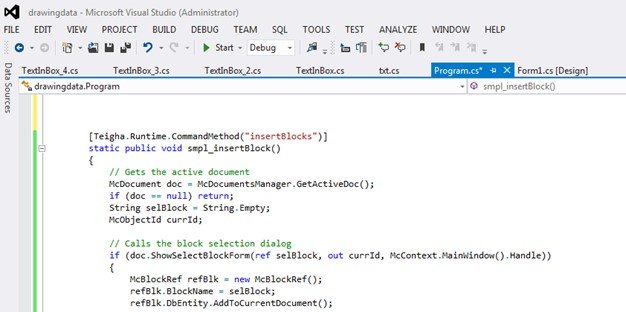
To use .NET applications in nanoCAD, you need to have nanoCAD SDK in your system. Get the nanoCAD SDK from nanoCAD Developer Club. You need to add reference to minimum two dlls in your application, hostdbmgd.dll and hostmgd.dll. You might need other dlls from the SDK as well depending upon your requirement. You need to annotate the method of your .NET application with the following attribute [Teigha.Runtime.CommandMethod(“Name of your command”)]
Once you build your application, you can then use the “netload” command in nanoCAD, or go to the below menu option to add your dll into the nanoCAD.


Once the dll is added, it can be accessed through the command line of nanoCAD throughout the nanoCAD runtime.
To access your application, simply type the command name in the command section.

What's Your Reaction?