No WiseImage Pro for AutoCAD (WiProAC) Menu in WiProAC Ribbon Menu Bar
You can try the following method:
1) Launch WiseImage Pro 16.0 for AutoCAD 2016
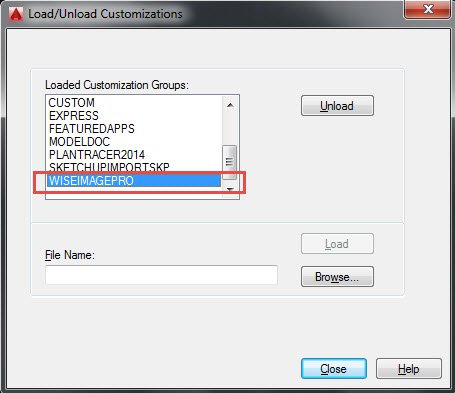
2)Use “Menuload” command
3)Unload the WISEIMAGEPRO item

4) Then Browse the menu item (ribbon_pro.cuix) again from the attached folder (unzip it and replaced the menu folder here- C:\Program Files\CSoft\WiseImageAC Pro 16.0\AC2015) and load it in AutoCAD and close it.
5) If the toolbar still not appears, then go to “Tools” from the menubar of AutoCAD and then click on the toolbar and then go to WISEIMAGEPRO option for the toolbars.

Also in AutoCAD use “Appload” command, and click “Contents” and click “Add” and browse for WiseImage.arx from C:\Program Files\CSoft\WiseImageAC Pro 16.0\AC2015 this path and proceed.

What's Your Reaction?